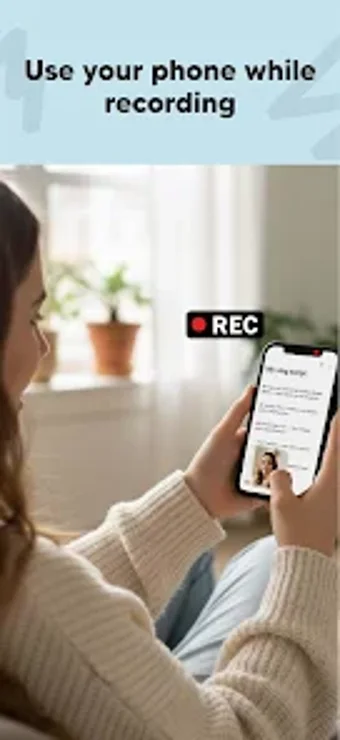
Float Cam – Background camera is a versatile app designed for Android users who want to record videos and take photos while multitasking. This app features a floating camera window that can be resized and positioned anywhere on the screen, allowing users to engage with other apps while filming. It is particularly beneficial for content creators, students, and professionals who need to access notes or reference materials during their recordings.
Key features include the ability to switch between front and back cameras, take photos from the floating bubble, and use an integrated web browser to access websites or documents. Float Cam is ideal for vloggers, musicians, educators, and business users who require a seamless recording experience without interruptions. This application combines a camera with a multitasking tool, enhancing productivity and creativity.
Before downloading, you can take a quick look at the permissions this app may request on your device. App permissions allow certain features to work properly, such as accessing your camera to take photos, your location for maps, or your storage to save files.
In this section, you’ll find a clear and simple overview of the types of permissions the app uses, grouped by their level of sensitivity, along with a visual breakdown to help you understand them at a glance. This way, you can see how the app interacts with your device and decide to download with confidence.
Permissions types
Standard
60%
Sensitive
40%
Permissions distribution
Privacy
30%
Data collected
50%
Data shared
20%
Data safety info
Privacy
3 permissions
Permissions that allow the app to access personal or sensitive information stored on your device, such as location, contacts, camera, or microphone.
android.permission.VIBRATE
Standard
android.permission.WAKE_LOCK
Standard
android.permission.FOREGROUND_SERVICE
Standard
Data collected
5 permissions
Information the app may gather from your device or usage activity to enable features, personalize content, and improve overall performance.
android.permission.CAMERA
Sensitive
android.permission.RECORD_AUDIO
Sensitive
android.permission.READ_EXTERNAL_STORAGE
Sensitive
android.permission.ACCESS_NETWORK_STATE
Standard
android.permission.ACCESS_WIFI_STATE
Standard
Data shared
2 permissions
Information that may be shared with trusted third parties to provide services, support app functionality, or deliver relevant content.
android.permission.WRITE_EXTERNAL_STORAGE
Sensitive
android.permission.INTERNET
Standard
This report summarises the permissions declared by the app at the time of scanning and groups them into Privacy, Data collected and Data shared. A declared permission shows what the app can access, it does not necessarily mean personal data is collected or transmitted. For full details check the app’s privacy policy and the developer’s clarifications shown below. Softonic generates this report automatically from the package metadata; it is informational and not a substitute for a full security or privacy audit.
Laws concerning the use of this software vary from country to country. We do not encourage or condone the use of this program if it is in violation of these laws. Softonic may receive a referral fee if you click or buy any of the products featured here.